mirror of
https://github.com/didi/KnowStreaming.git
synced 2025-12-24 11:52:08 +08:00

122 lines
3.6 KiB
Markdown
122 lines
3.6 KiB
Markdown
|
||
### 贡献流程
|
||
|
||
[贡献源码细则](../CONTRIBUTING.md)
|
||
|
||
#### 1. fork didi/KnowStreaming项目到您的github库
|
||
|
||
找到你要Fork的项目,例如 [KnowStreaming](https://github.com/didi/KnowStreaming) ,点击Fork按钮。
|
||
|
||

|
||
|
||
|
||
#### 2. 克隆或下载您fork的Nacos代码仓库到您本地
|
||
|
||
```sh
|
||
|
||
git clone { your fork knowstreaming repo address }
|
||
|
||
cd KnowStreaming
|
||
|
||
```
|
||
|
||
#### 3. 添加 didi/KnowStreaming仓库为upstream仓库
|
||
|
||
|
||
```sh
|
||
|
||
### 添加源仓库
|
||
git remote add upstream https://github.com/didi/KnowStreaming
|
||
|
||
### 查看是否添加成功
|
||
git remote -v
|
||
|
||
origin ${your fork KnowStreaming repo address} (fetch)
|
||
origin ${your fork KnowStreaming repo address} (push)
|
||
upstream https://github.com/didi/KnowStreaming(fetch)
|
||
upstream https://github.com/didi/KnowStreaming (push)
|
||
|
||
### 获取源仓库的基本信息
|
||
git fetch origin
|
||
git fetch upstream
|
||
|
||
```
|
||
上面是将didi/KnowStreaming添加为远程仓库, 当前就会有2个远程仓库
|
||
|
||
1. origin : 你Fork出来的分叉仓库
|
||
2. upstream : 源仓库
|
||
|
||
git fetch 获取远程仓库的基本信息, 比如 **源仓库**的所有分支就获取到了
|
||
|
||
|
||
#### 4. 同步源仓库开发分支到本地分叉仓库中
|
||
|
||
一般开源项目都会有一个给贡献者提交代码的分支,例如 KnowStreaming的分支是 `dev`;
|
||
|
||
|
||
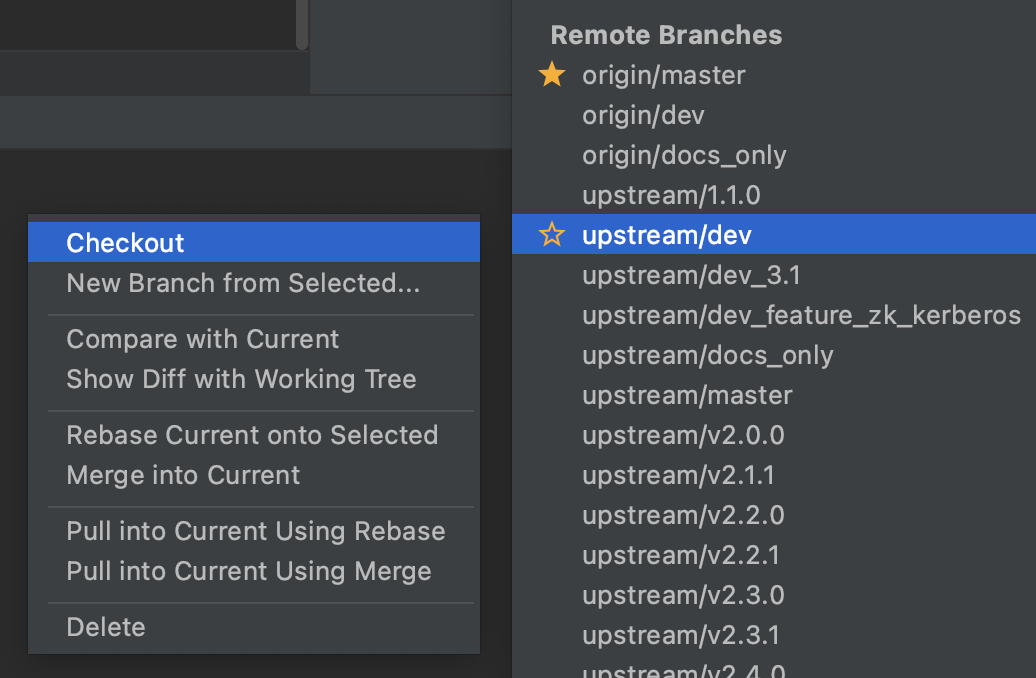
首先我们要将 **源仓库**的开发分支(`dev`) 拉取到本地仓库中
|
||
```sh
|
||
|
||
git checkout -b dev upstream/dev
|
||
```
|
||
**或者IDEA的形式创建**
|
||
|
||
|
||
|
||
#### 5. 在本地新建的开发分支上进行修改
|
||
|
||
首先请保证您阅读并正确设置KnowStreaming code style, 相关内容请阅读[KnowStreaming 代码规约 ]()。
|
||
|
||
修改时请保证该分支上的修改仅和issue相关,并尽量细化,做到
|
||
|
||
<font color=red><b>一个分支只修改一件事,一个PR只修改一件事</b></font>。
|
||
|
||
同时,您的提交记录请尽量描述清楚,主要以谓 + 宾进行描述,如:Fix xxx problem/bug。少量简单的提交可以使用For xxx来描述,如:For codestyle。 如果该提交和某个ISSUE相关,可以添加ISSUE号作为前缀,如:For #10000, Fix xxx problem/bug。
|
||
|
||
|
||
#### 6. Rebase 基础分支和开发分支
|
||
|
||
您修改的时候,可能别人的修改已经提交并被合并,此时可能会有冲突,这里请使用rebase命令进行合并解决,主要有2个好处:
|
||
|
||
1. 您的提交记录将会非常优雅,不会出现Merge xxxx branch 等字样
|
||
2. rebase后您分支的提交日志也是一条单链,基本不会出现各种分支交错的情况,回查时更轻松
|
||
|
||
```sh
|
||
git fetch upstream
|
||
|
||
git rebase -i upstream/dev
|
||
|
||
```
|
||
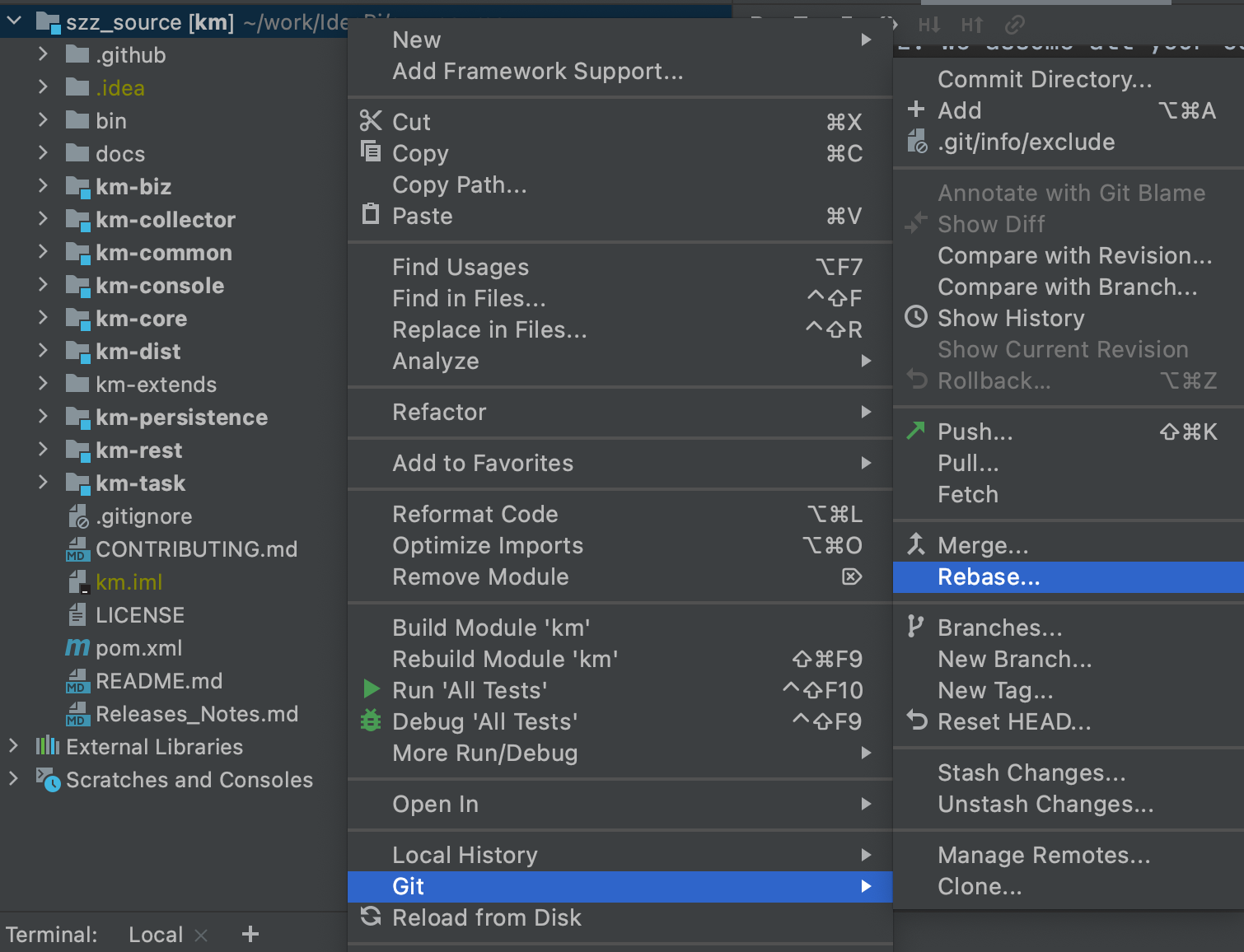
**或者在IDEA的操作如下**
|
||
|
||
|
||
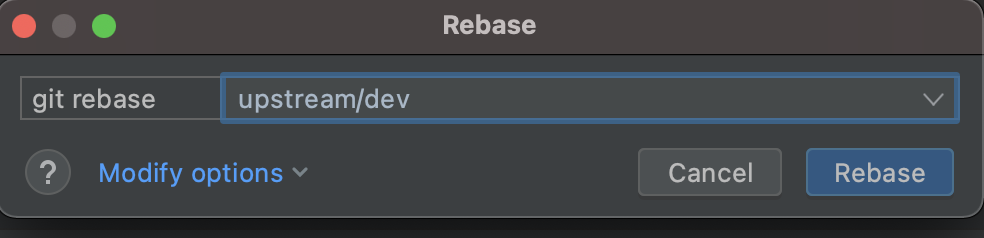
选择 源仓库的开发分支
|
||
|
||
|
||
推荐使用IDEA的方式, 有冲突的时候更容易解决冲突问题。
|
||
|
||
#### 7. 将您开发完成rebase后的分支,上传到您fork的仓库
|
||
|
||
```sh
|
||
git push origin dev
|
||
```
|
||
|
||
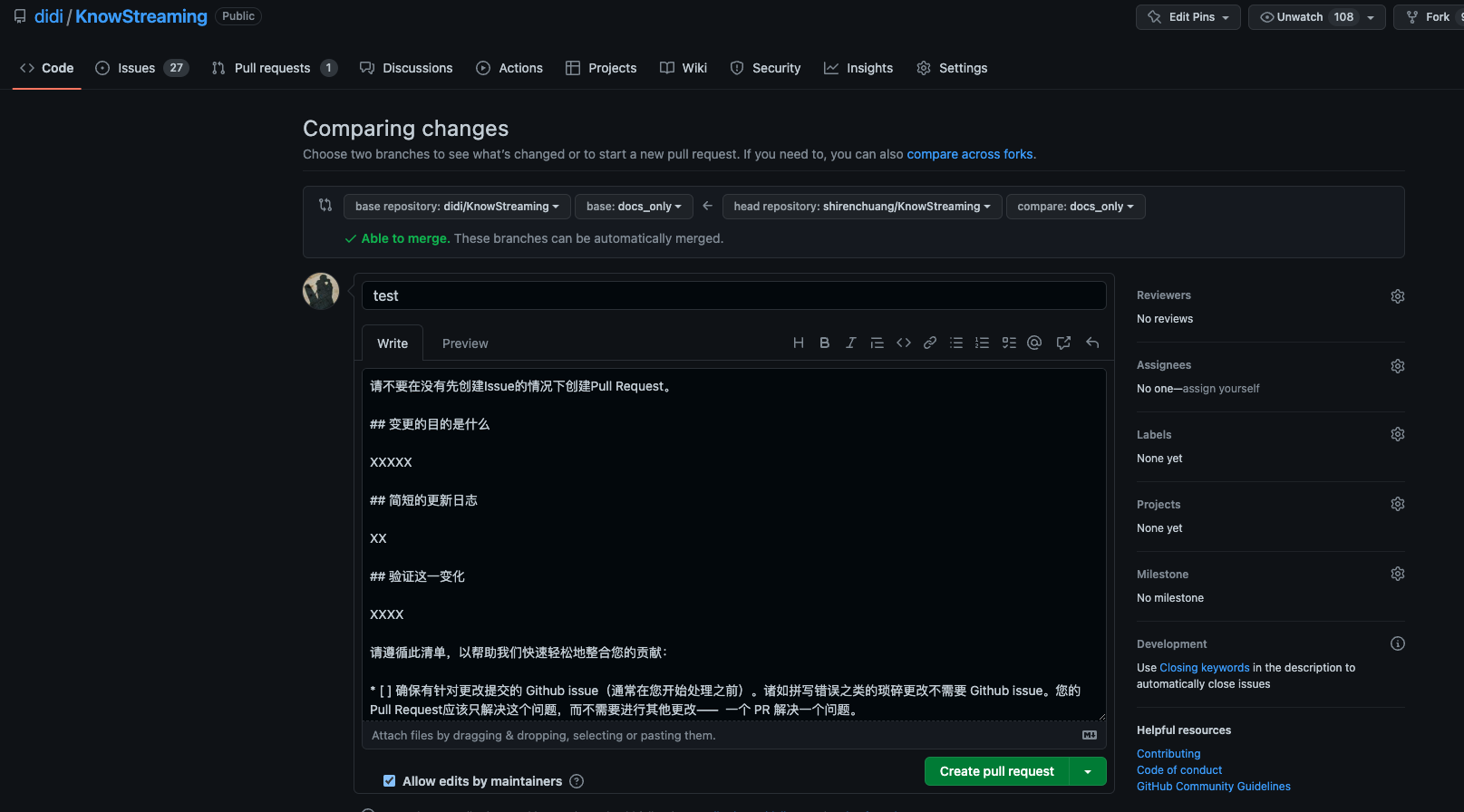
#### 8. 按照PR模板中的清单创建Pull Request
|
||
|
||
|
||
|
||
|
||
|
||
选择自己的分支合并到模板分支。
|
||
|
||
|
||
#### 9. 等待合并代码
|
||
|
||
提交了PR之后,需要等待PMC、Commiter 来Review代码,如果有问题需要配合修改重新提交。
|
||
|
||
如果没有问题会直接合并到开发分支`dev`中。
|
||
|
||
注: 如果长时间没有review, 则可以多催促社区来Review代码!
|
||
|
||
|